

🤝 Community Partner · IKIGAI 2026 · 36-hour National Hackathon · 21–23 Aug 2026 · AITR Campus, Indore · Details →

Build. Ship. Repeat.

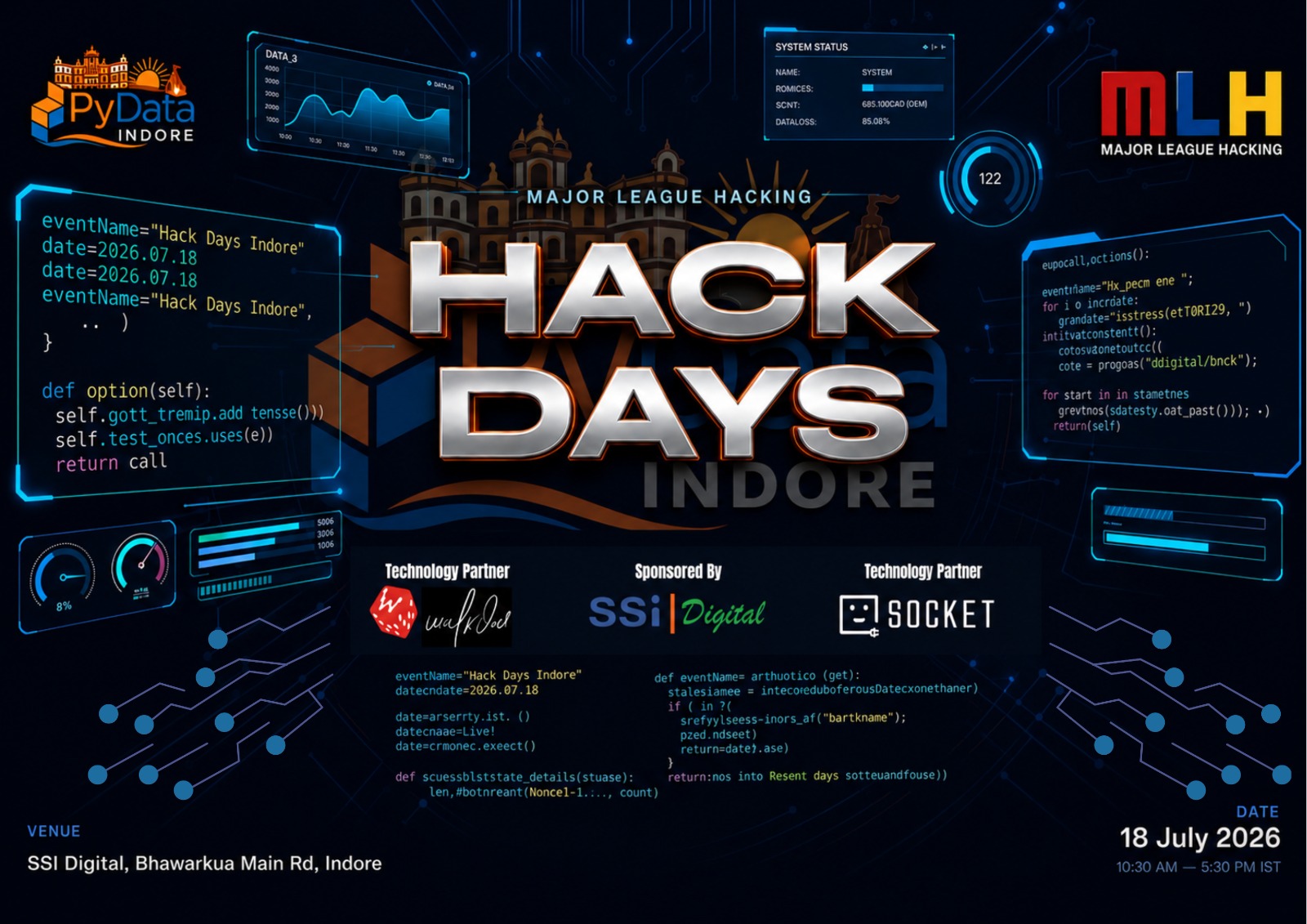
PyData Indore Hack Days is a focused, single-day sprint where you turn an idea into a working prototype before sundown. No overnight marathons — just one high-energy day of hacking, mentorship, and demos with the local data & Python community.

Whether you're writing your first Python script or shipping models to production, you'll find a team, a problem worth solving, and people to learn from. Come with an idea or find one here.

One day, one prototype — no overnight stay required
Open theme — build anything with Python & data
On-site mentors to unblock you fast
Live demos & community feedback
MLH swag, certificates & surprises 🎁

What are MLH Hack Days?

Major League Hacking (MLH) is the official student hackathon league, powering thousands of events worldwide. Hack Days are short, local, beginner-friendly hackathons run by community organizers — like PyData Indore — with MLH support.

  • Backed by MLH's global hackathon program
  • Welcoming to first-time hackers
  • Recognition & swag from MLH
  • A safe, inclusive space under the MLH Code of Conduct
View on MLH

Pick a Track

Three tracks, one goal — build something a real person would actually use. The ideas below are here to spark thinking, not to box you in.

🎓
Track 01

Learn Better

Build a tool that makes learning actually stick — for a real learner you can name.

The Problem

Learning tools are broken. They're built for administrators, not learners. A student finishes a 2-hour lecture and has zero practice material. A beginner hits a cryptic Python error and spends 40 minutes on Stack Overflow threads from 2014. A community speaker spends 10 hours prepping a 45-minute workshop because there's no scaffolding. The gap isn't content — there's plenty of content. The gap is tooling that turns content into learning.

Example Builds — starting points, not requirements
  • A tool that takes a YouTube lecture or PDF and generates practice questions ranked by difficulty
  • An error message translator that explains Python errors in plain English, tied to your code
  • A flashcard generator that converts messy class notes or whiteboard photos into Anki-ready decks
  • An interactive concept map that shows how subtopics connect and what to learn in what order
  • A code review buddy that gives beginners human-readable feedback, not linter warnings
  • A workshop prep assistant that generates outlines, code examples, and exercises from a topic
⚡ viaSocket Integration Ideas

Use viaSocket as your tool's backend — learning that reaches the learner:

  • Frontend posts a YouTube link/PDF to a webhook → AI generates ranked quiz questions → flow returns JSON. Full app, zero backend code
  • Scheduled flow pulls due flashcards → AI rephrases them → quizzes the learner on WhatsApp → replies auto-scored, schedule updates itself
  • Every Python error explained + logged → weekly AI flow emails a micro-lesson on the student's weakest concept
  • AI answers doubts first → low-confidence ones auto-route to a mentor on Slack → reply forwarded back to the student

Track 02

Ship Faster

Kill a developer's most hated chore. Build a tool that plugs into a workflow they already use.

The Problem

The code gets written, but everything around it is still manual. Every new project starts with 45 minutes of identical boilerplate. Every API ships without docs. Every function ships without tests. Every release needs hand-written changelogs. Notebooks full of great analysis never get published because reformatting for a blog takes an hour. Developers waste time on work that should be automated — and the tools to automate it either don't exist or are half-baked.

Example Builds — starting points, not requirements
  • A CLI that scaffolds a production-ready Python project (pyproject.toml, CI, linting, README) in one command
  • A test case generator that reads your Python functions and writes pytest tests including edge cases you missed
  • An MCP server that connects an LLM to a useful data source — database, spreadsheet, or public API
  • A notebook-to-blog pipeline that converts .ipynb files into publish-ready Markdown or Medium posts
  • An API documentation generator that reads your FastAPI/Flask/Django code and writes the docs for you
  • A git changelog tool that reads commit history and generates structured release notes
⚡ viaSocket Integration Ideas

One requests.post() and viaSocket closes the loop — back into the repo, not just out of it:

  • GitHub merge → AI writes changelog + docs → creates the Release, posts to Slack, and opens a docs PR back into the repo
  • Failing CI test → AI comments the probable root cause on the PR; known flaky runs get auto-retriggered
  • Notebook-to-blog draft → approve/reject button in Slack → publishes to LinkedIn, X & more in one go
  • Building the MCP idea? Pair it with viaSocket's MCP server — your agent gets 2,000+ apps as callable tools
📱
Track 03

Daily Drivers

Build a personal tool you'd open every day. Bonus if it lives inside something people already use.

The Problem

The tools people reach for daily — resumes, invoices, expense tracking, content publishing, bookmarks — are either overengineered enterprise software or manual spreadsheet hacks. A freelancer spends 20 minutes per invoice. A job seeker spends 30 minutes tailoring each resume. A developer writes a blog post and never repurposes it for LinkedIn or Twitter. There's a gap for simple, sharp tools that do one thing well and save 20 minutes every day.

Example Builds — starting points, not requirements
  • A smart resume tailor that takes your master resume + a job description and generates a version with the right keywords emphasized
  • A natural language expense tracker — type “chai 20” or “grocery 850 Big Bazaar” and it auto-categorizes and logs
  • An invoice generator for freelancers with auto GST calculation, UPI QR codes, and natural language input
  • A content repurposer that turns one blog post into a LinkedIn post, Twitter thread, and Reddit post in the right tone
  • A bookmark brain that auto-summarizes and tags saved links so you can search by meaning, not just title
  • A meeting-notes-to-action-items extractor that pulls out decisions, owners, and deadlines from messy notes
⚡ viaSocket Integration Ideas

WhatsApp/Slack/Gmail is the UI; a viaSocket flow is the app behind it:

  • “chai 20” on WhatsApp → parsed, AI-categorized, logged to Sheets — and ask “food spend this month?” to get an answer back
  • Job alert email → AI tailors your resume + drafts the outreach → logs to your tracker → one-tap approve before sending
  • Invoice sent → scheduled flow tracks payment and sends escalating AI reminders at day 7 and 14
  • Forward any link to a Telegram bot → AI summarizes + tags it into Notion → ask the bot later, it answers from your saved links

Over $7,000 in prizes & perks across the day — subscriptions, licenses, discounts, and swag from our partners.

🥇 Grand Prize

Best Project

The overall winner across all tracks, scored on the four judging criteria. Every member of the winning team gets a JetBrains subscription, plus an exclusive discount on SSi Digital Academy programs.

Prize: JetBrains subscription for every team member + SSi Digital discount

🏆 Cross-cutting Prize

Best Use of viaSocket

Open to any team from any track. Integrate viaSocket meaningfully into your project — it should solve a real workflow step, not be a bolted-on afterthought.

Prize: Lifetime access to viaSocket (paid tier) for the winning team

🏆 Cross-cutting Prize

Best Use of Gemini API

Open to any team from any track. Use the Google Gemini API meaningfully. Teams must provide their Gemini API Key Project Number in the Devpost submission.

Prize: MLH partner prize from Google

🎁 All Participants

Everyone Ships, Everyone Wins

Every hacker gets a viaSocket subscription, plus MLH stickers, season stickers, and an event certificate. Demo your project to grab exclusive “I Demoed” stickers.

Perk: viaSocket subscription for every participant

More Than Just Code

🎁

Prizes, Swag & Certificates

$7,000+ in prizes & perks — every hacker gets a viaSocket subscription, MLH swag, and a certificate. Winners take home a lot more.

🧑‍🏫

Mentorship

Get unblocked by experienced mentors from the PyData Indore community on-site.

🤝

Network

Meet developers, data folks, students, and recruiters from across Central India.

Judging Criteria

Teams are judged on four criteria, weighted equally.

25%

Technology

How technically solid is the hack? Did the team tackle a meaningful technical challenge? Does it use tools and APIs effectively — not just impressively, but appropriately?

25%

Design & Usability

Did the team think about who will actually use this? Is it intuitive? Does it look like something a person would want to open a second time?

25%

Completion

Does it work? A focused, working feature beats a grand vision with a broken demo every time. Shipped > Ambitious.

25%

Real-World Usefulness

What makes this hackathon different. Can you name the person who would use this? Would you use it next week? Projects with a clear, named user and a real chance of surviving past demo day score higher.

What we explicitly don't judge on

  • 🧹Code cleanliness or comment quality — it's a hackathon, not a code review.
  • 🎤Pitch polish — this is about building, not selling.
  • 💡How “innovative” the idea is — a well-executed boring idea beats a broken novel one.

How to Submit

To be eligible for judging, every team submits their project on Devpost. Here's exactly what you'll need — the Devpost link is shared at kickoff and on the MLH event page.

Required fields

  • Project title
  • Track (Learn Better / Ship Faster / Daily Drivers)
  • Description — what you built, who it's for, and why they'd use it
  • Demo video (2–3 min max — show the product working, not a slide deck)
  • Screenshots (at least 2)
  • Link to source code (GitHub/GitLab — accessible to judges)
  • Tech stack used
  • Team members and their roles

AI disclosure required

  • Which generative AI tools did you use? (Gemini, OpenAI, Anthropic, Hugging Face, Llama, DeepSeek, none, or other)
  • How did you use AI? Describe what was AI-generated vs. what you built. If none, write “N/A”.

For the Gemini API prize

  • Opt in to the “Best Use of Gemini API” prize category
  • Provide your Gemini API Key Project Number

Note: specific prize items are provided by MLH and confirmed closer to the event. Prize packs typically include stickers, pins, and partner swag.

Day Schedule

Tentative timeline — exact slots will be confirmed closer to the event.

10:30–11:00 AM
Check-In & Setup
Registration · Networking · Seating arrangements
11:00–11:20 AM
Kickoff & Opening Ceremony
Welcome address · Event overview · Rules & judging criteria
11:20–11:30 AM
SSi Address
Quick session from the SSi team · Opportunities & initiatives
11:30–11:40 AM
viaSocket Demo Session
Product demo · Automation showcase · Use cases for participants
11:40 AM–12:00 PM
Team Formation & Problem Briefing
Final team confirmations & track explanations
12:00–4:00 PM
Hacking Begins 🚀
Building phase · Mentor rounds · Lunch & refreshments 🍕🍔
2:00–2:15 PM
Mid-Hack Checkpoint
Quick progress review · Announcements · Mentor interactions
4:00–4:45 PM
Project Demos
Teams present solutions to judges & the audience
4:45–5:15 PM
Judging & Results
Evaluation · Winner announcements · Certificates
5:15–5:30 PM
Wrap-Up & Networking
Group photo · Networking · Closing remarks

Where to Find Us

Venue

SSi Digital
Indore, Madhya Pradesh

Address

11 Bhawarkua Main Rd, Professor Colony
Indore – 452014
Madhya Pradesh

Getting There

Open in Google Maps

What to Bring

Your laptop, charger & a valid ID

⚡ Good to Know

  • 👥Team details at sign-up. You'll need to provide your team details — team name and members (up to 4) — while filling out the registration form.
  • 🔌Charging points are limited. Come fully charged, carry a power bank, and plan accordingly.
  • 📶Keep a backup internet connection. Wi-Fi will be provided, but please have a mobile hotspot ready in case of any Wi-Fi issues.
  • 💻Bring your essentials. Laptop, charger, and a valid photo ID are a must.

Powered By

Frequently Asked

Do I need to know how to code?
Some coding experience helps since this is a build event, but you don't need to be an expert. Teams benefit from diverse skills — design, research, project management, and domain expertise are all valuable.
Do I need a team?
No. You can participate solo or form a team of up to 4. We'll have a team-formation session at the start if you show up without one. Note that you'll enter your team details on the registration form, so sort out your team before registering if you can.
Is this only for students?
No. MLH Hack Days are open to everyone — students, professionals, freelancers, and career-switchers. All skill levels are welcome.
Do I need to register on MLH?
Registration is closed — Hack Days ran on 18 July 2026. While it was open, MLH registration was mandatory for check-in, swag, and prize eligibility; a Meetup RSVP alone was not sufficient.
Can I use AI tools like ChatGPT, Copilot, or Gemini?
Yes, but you must disclose all AI tool usage in your submission. Your README should clearly document what was AI-generated vs. what you built. Undisclosed AI usage means disqualification.
What should I bring?
Your laptop, charger, and any hardware you want to hack with. Charging points are limited, so come fully charged and ideally carry a power bank. We'll provide food, Wi-Fi, and MLH swag — but keep a mobile hotspot handy as a backup connection.
Is there food?
Yes — lunch and snacks will be provided. If you have dietary restrictions, reach out to us in advance at indore@pydata.org.
Where do I submit my project?
On our Devpost page — the link is shared at kickoff and on the MLH event page. Submissions open at kickoff and close before demos begin (around 4:00 PM IST) on 18 July. See the Submissions section for the full checklist.
How is this different from a regular meetup?
This is a build event, not a talk event. You show up, pick a track, form a team, and build something in a single focused day. Demos and judging happen at the end. Think science fair, not conference.
I have more questions.
Message us on the WhatsApp group: chat.whatsapp.com/HP25OH3i1MV4kAqZIcH3Lq.

Resources to Get Started

Optional, but handy. A few pointers to help you hit the ground running.

🐍 Python Quickstarts

🔌 MCP (Model Context Protocol)

That's a Wrap

Hack Days ran on 18 July 2026 at SSi Digital, Indore. Thanks to everyone who showed up and shipped — have a look at how the day went, and join the community so you don't miss the next one.